Load the Course Data with Write R Code
Write the commented code that loads the tidyverse, the course package, and the Twitch data, then run it.
Prefer to watch first? The walkthrough video Wrangling and the reliability grid shows these steps.
Steps on this page
Steps
- Open the file you are working in. For the Data Wrangling assignment that is
11-wrangling-data.qmdin the top folder of your workspace (Put a Worksheet in Your Workspace shows how to get it there): click it in the Explorer on the left. Put the cursor on an empty line near the top. (With no file open, the code goes tosteps.Rin your course folder.) - Open the Command Palette: View, then Command Palette… (or Ctrl+Shift+P; Cmd+Shift+P on a Mac).
- Type
AURA: Open an R terminaland press Enter. Wait for the R prompt>at the bottom. - Open the Command Palette again, type
AURA: Write R code, and press Enter. - Under R2 Data, select Load the course Twitch corpus.
- A message at the bottom right asks Run it now?. Select Run it before it disappears.
What you should see
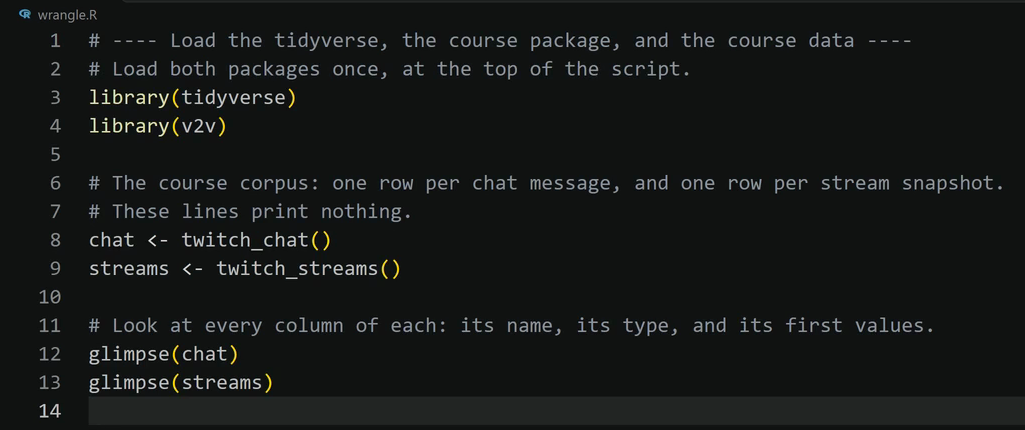
The terminal lists the columns of chat (35,267 rows) and streams (32,276 rows). Scroll up in the terminal if the counts have already passed.
If it does not work
If running a line opens a box titled Choose where to run the selected code, press Esc. Do not pick New R Interactive window or Create R terminal: both start a new R that has none of your tables. Instead, click the AURA Lab R Companion icon on VS Code’s left edge and select Run my steps from the top. It runs your file from the first line, in the same R as Run it.
If you press Run Cell (the ▷ at the top right of a code cell) and your code lands in a terminal named powershell (zsh on a Mac) instead of R (AURA), it did not run in R. Select R (AURA) in the list of terminals at the right of the Terminal panel, then press Run Cell again. (Keyboard: click inside the cell and press Ctrl+Shift+Enter, or Cmd+Shift+Enter on a Mac; it switches to R (AURA) before it runs the cell.)
If the terminal says there is no package called 'v2v', run AURA: Check my setup, select Install what is missing, then run the block again: select it, right-click it (on a Mac, Control-click or click with two fingers), and select Run the selected lines in R.