Publish Your Site
Render your project and put it live on GitHub Pages, after three checks that catch the common failures.
Steps on this page
Steps
Commit and push every change first (guide 12).
Keep your workspace open (the folder with
README.mdat its top).Open an R terminal: run AURA: Open an R terminal from the Command Palette.
Type this line in the R terminal and press Enter. Put your own project folder’s name inside the quotes: the folder that holds
_quarto.yml.v2v::deploy_portfolio("twitch-portfolio")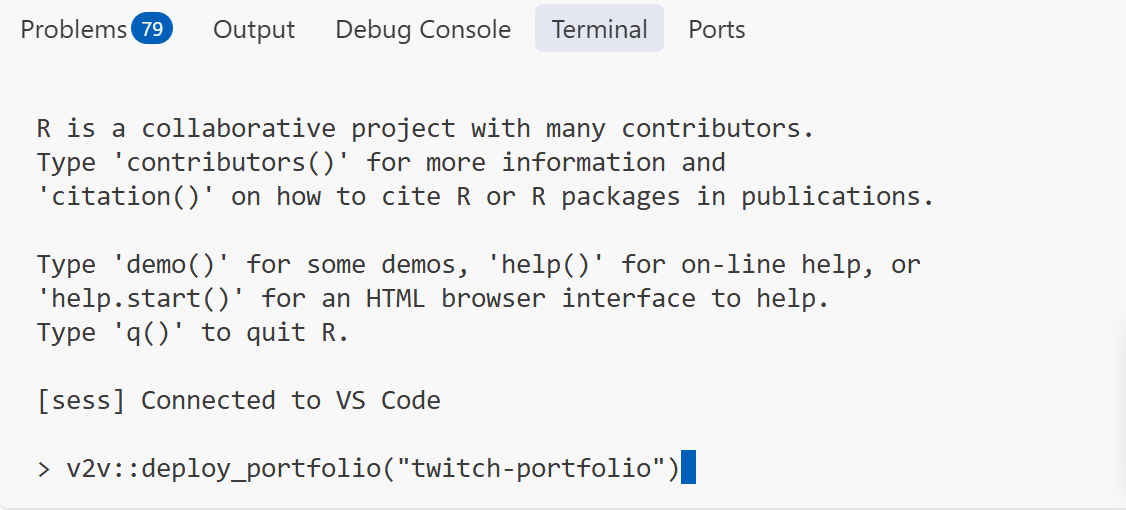
Read the Pre-flight checks. Each line starts with a check mark when it passes.
When it asks Publish to GitHub Pages? [y/N], type
yand press Enter. Any other answer stops without publishing.When it finishes, it prints that the portfolio is live on GitHub Pages. Open that address in a browser.
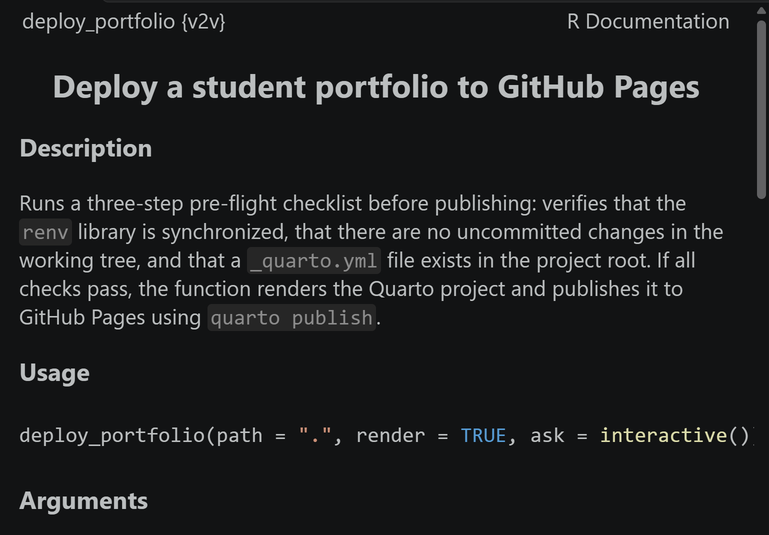
To read what the command does before you run it, put your cursor on deploy_portfolio in a script and run R: Open help for selection from the Command Palette. The help page opens beside your script.
What you should see
── Pre-flight checks ──
ℹ No renv.lock found - skipping renv check
✔ no uncommitted changes
✔ _quarto.yml valid
──────────────────────
✔ Rendering 9 pages
Publish to GitHub Pages? [y/N] y
✔ Publishing to GitHub Pages
ℹ Published to https://your-username.github.io/your-repository/
✔ Portfolio live on GitHub Pages.
The first line is normal: the course scaffold has no renv.lock file, so the renv check is skipped. A project with one shows renv library in sync there instead. The Published to line gives your site’s address.
If it does not work
If a check fails, fix that one thing and run the command again. **_quarto.yml** failing means the name in the quotes does not match your project folder: check its spelling in the Explorer. no uncommitted changes failing means you have work to commit and push (guide 12).